Reports

Turn practice data into an answer, not a spreadsheet hunt.

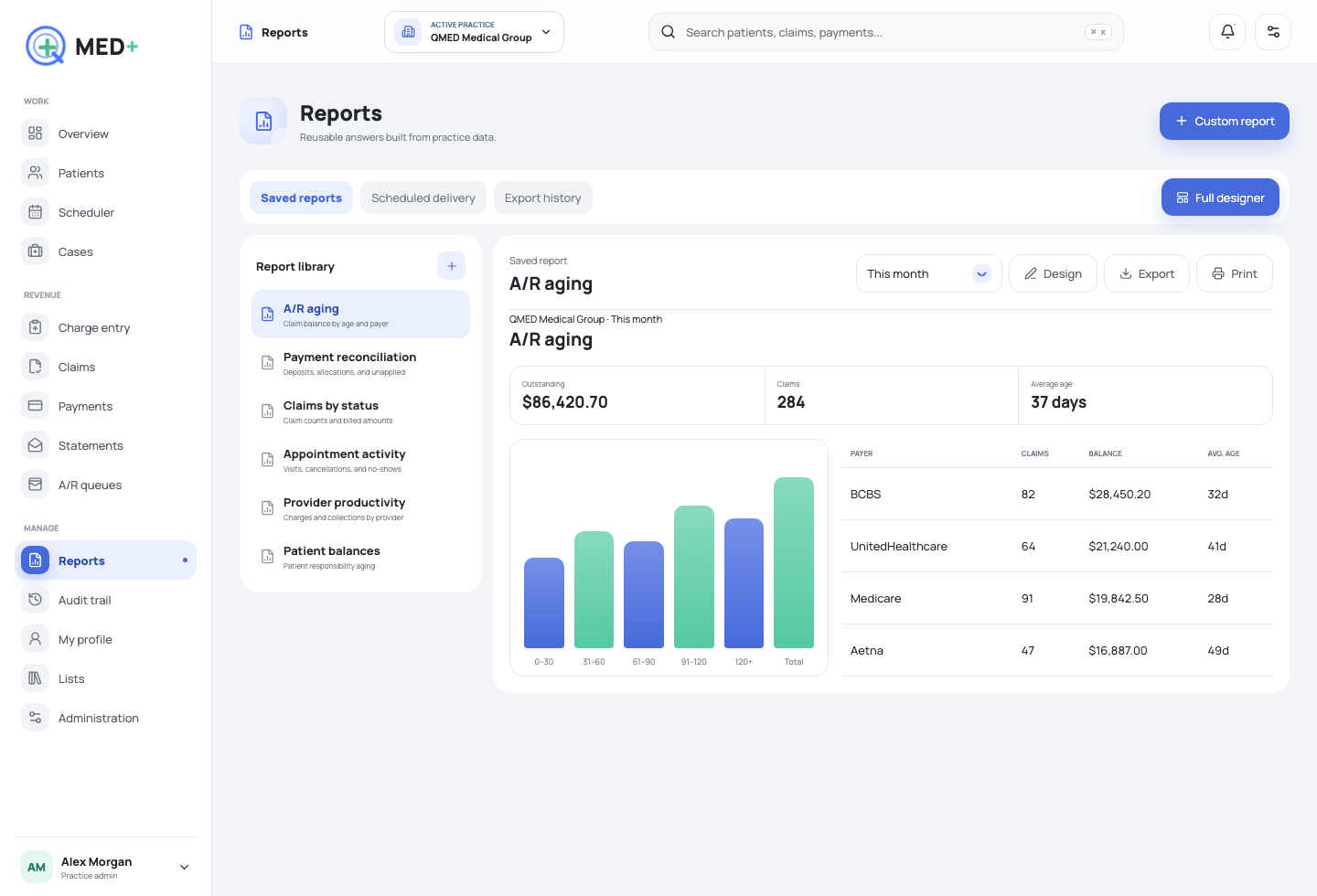
Create joined reports from multiple sources, arrange the visual result, save reusable views, and export only the report itself.
Book a focused demo Explore QMED+
ReportsLive workspace
Reports QMED+ product screen
Joined dataAcross operational tables
Saved viewsFilters and layouts
DeliveryPDF, CSV, schedules
How the work moves

A workflow with a beginning, a decision, and a visible finish.

01

Ask a business question

Choose related data sources, fields, conditions, grouping, and date logic.

02

Shape the answer

Arrange tables, summaries, charts, and page structure visually.

03

Reuse the result

Save, schedule, export, and preserve delivery history.

01

A report builder, not a preset list

Choose fields from related datasets and keep them together as you build.

  • Grouping, sorting, and nested conditions
  • Tables, summaries, and charts
  • SQL result-to-report workflow
02

Make recurring work automatic

Save, schedule, export, and trace delivery history.

  • Practice ownership and permissions
  • Scheduled report delivery
  • Print-safe visual output
See it in your workflow

Make the next step concrete.

We will map QMED+ to the work your team performs today.

Schedule a session